The project
The key pages were redesigned: country coverage, invoicing guides with an interactive map and technical coverage, so that complex content reads easily.
Underneath, a Webflow CMS of over a hundred entries with cross-references, fed from Notion: the team edits where it already works and the site updates itself.
The challenge
To improve the design of specific pages and components and to set up a CMS of over a hundred items connected to the client’s database.
The details
Recorded on the site as delivered, in Webflow. Today invopop.com is a different site.
From Notion to Webflow
Notion is the main database. WhaleSync syncs every entry field by field with the Webflow CMS: success stories, local invoicing costs and each country’s data.
Colour
The palette of Invopop, by how much it is used on the delivered site. Hover over a colour.
Usage measured on recordings of the delivered site: every pixel counts towards the nearest colour; photos and gradients aside.
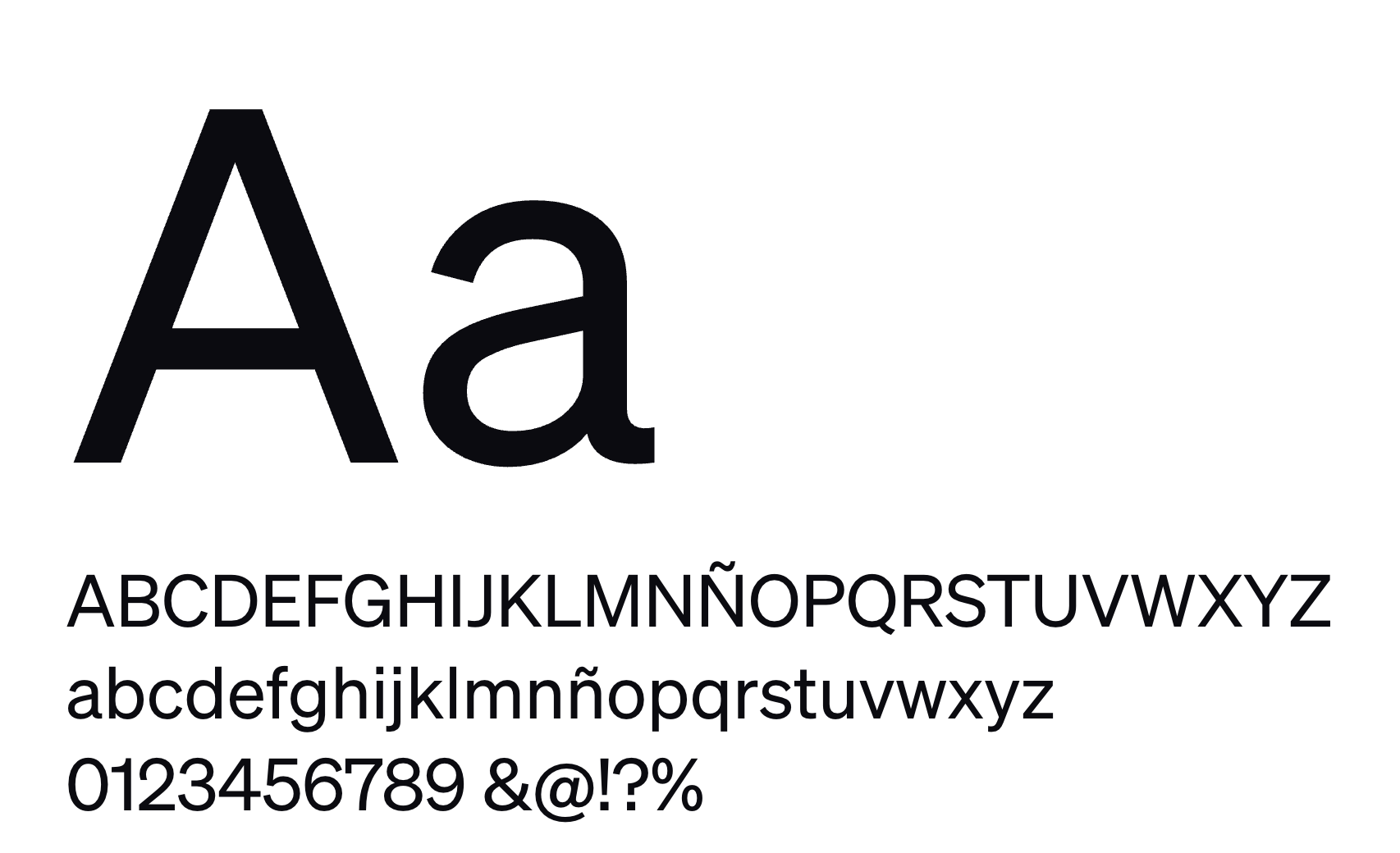
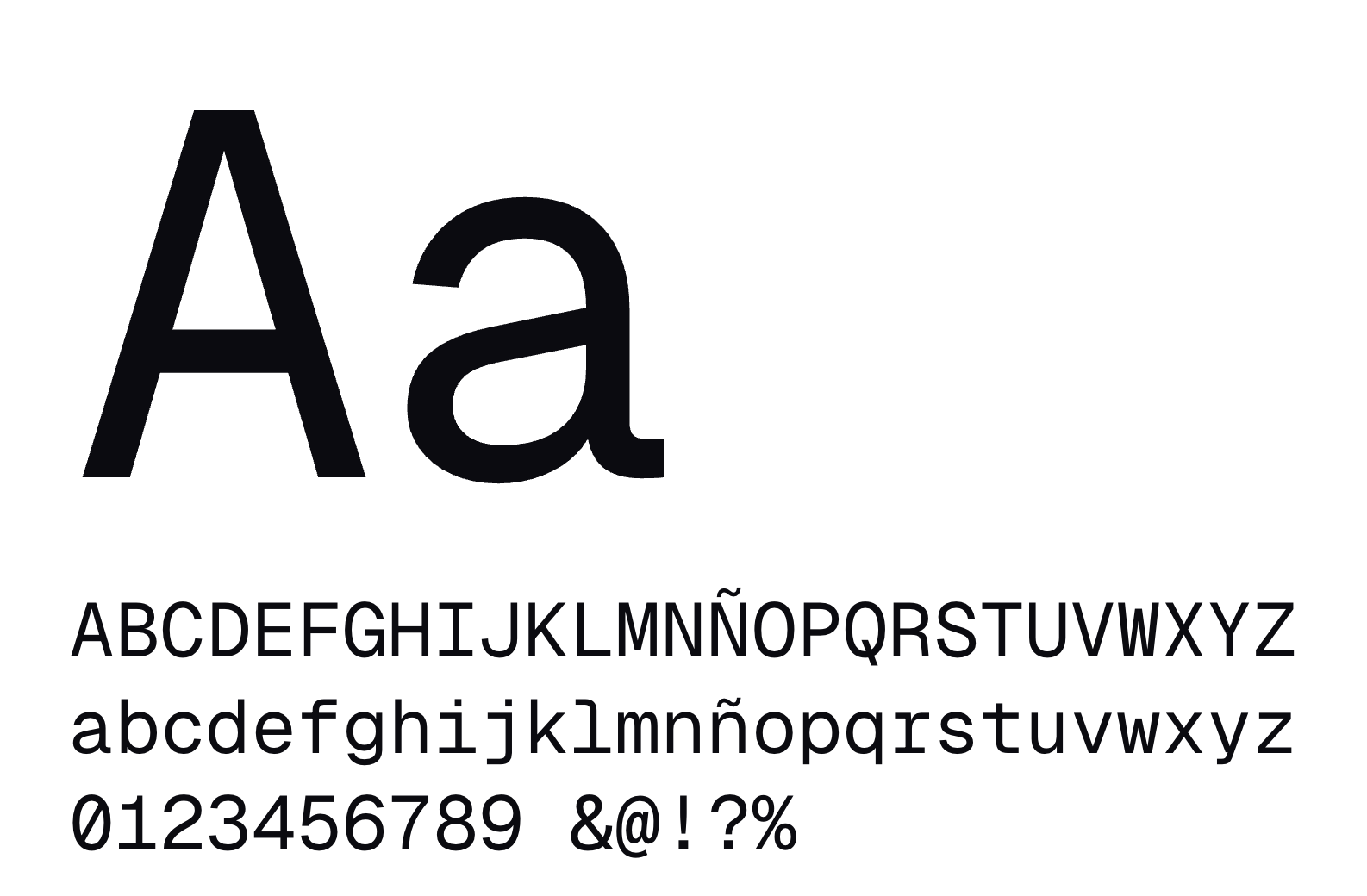
Typography
Motion
How Invopop moves, from its own recording. Drag the timeline.
The map
The countries with mandatory e-invoicing; on hover, each one’s card.
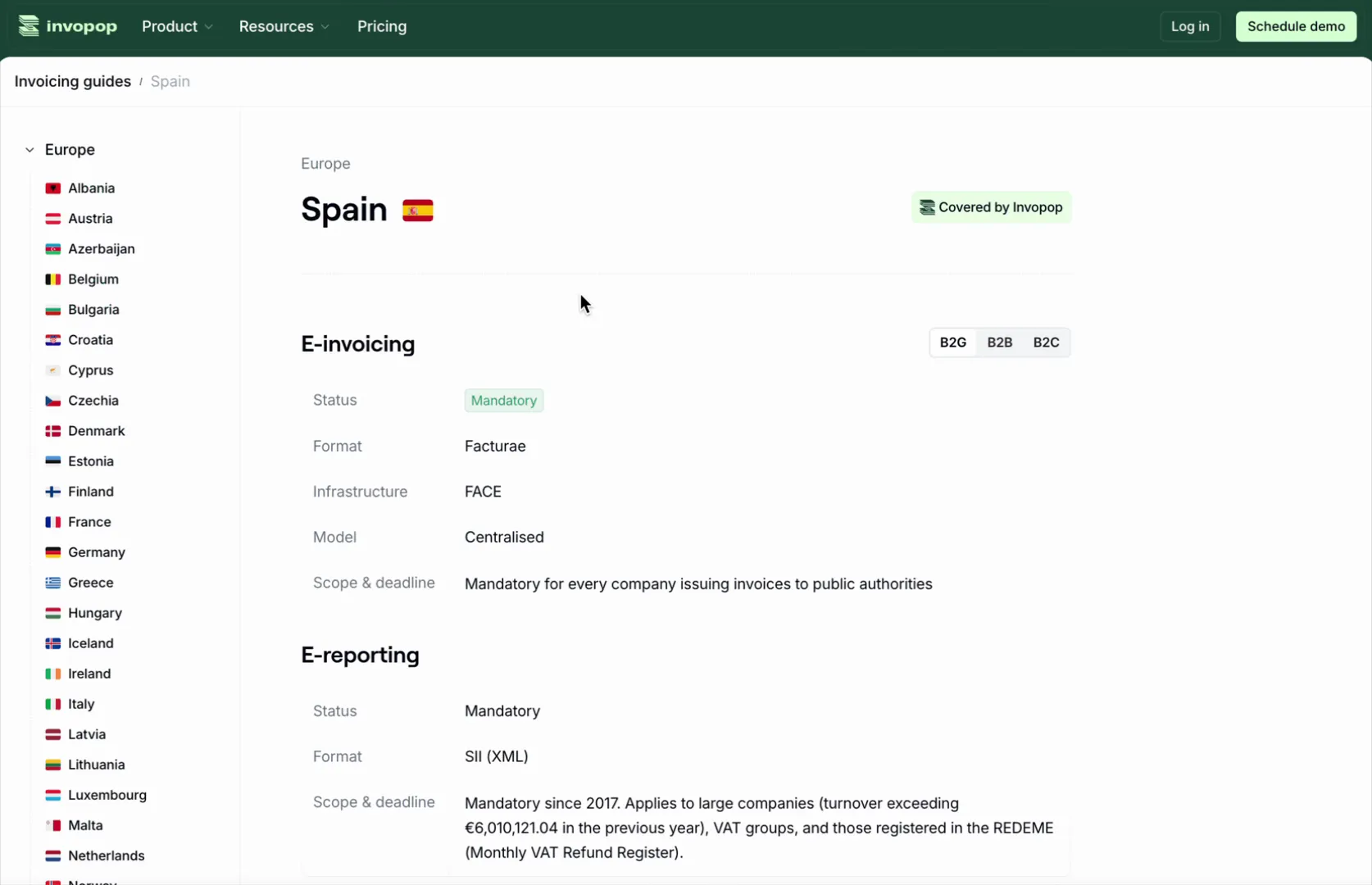
A country page
Invoicing and e-reporting requirements, format and deadlines, synced from Notion with WhaleSync.
Under control with the console
Documents, workspaces, invoices and flows: each section of the console is shown on click.
Under the hood
Tools
- Figma
- Webflow
- Notion
- WhaleSync


How it is built
- Webflow CMS with references between collections
- Notion → Webflow sync with WhaleSync
- Webflow localisation in English and Spanish, with SEO per language
In numbers
- +100 CMS entries
- 2 languages
- 3 customer types on the map
Conclusion
Country content no longer goes through the website: the team edits it in Notion and WhaleSync syncs it field by field with the Webflow CMS, in English and Spanish.
Over a hundred cross-referenced entries feed the coverage pages, the guides and the map.
In their words
“A friend of ours who is an entrepreneur recommended them and it has been a great decision. From day one they integrated seamlessly with our tools and handled the integration of over a hundred CMS items with agility. Eric and Andoni reply in minutes and deploy in hours. They exceeded our expectations.”

“The client’s testimonial about this project goes here: two or three lines, with their charcoal portrait. Placeholder for Eric.”